Reservations shows bookings by host and hour for the selected day.
Use the schedule
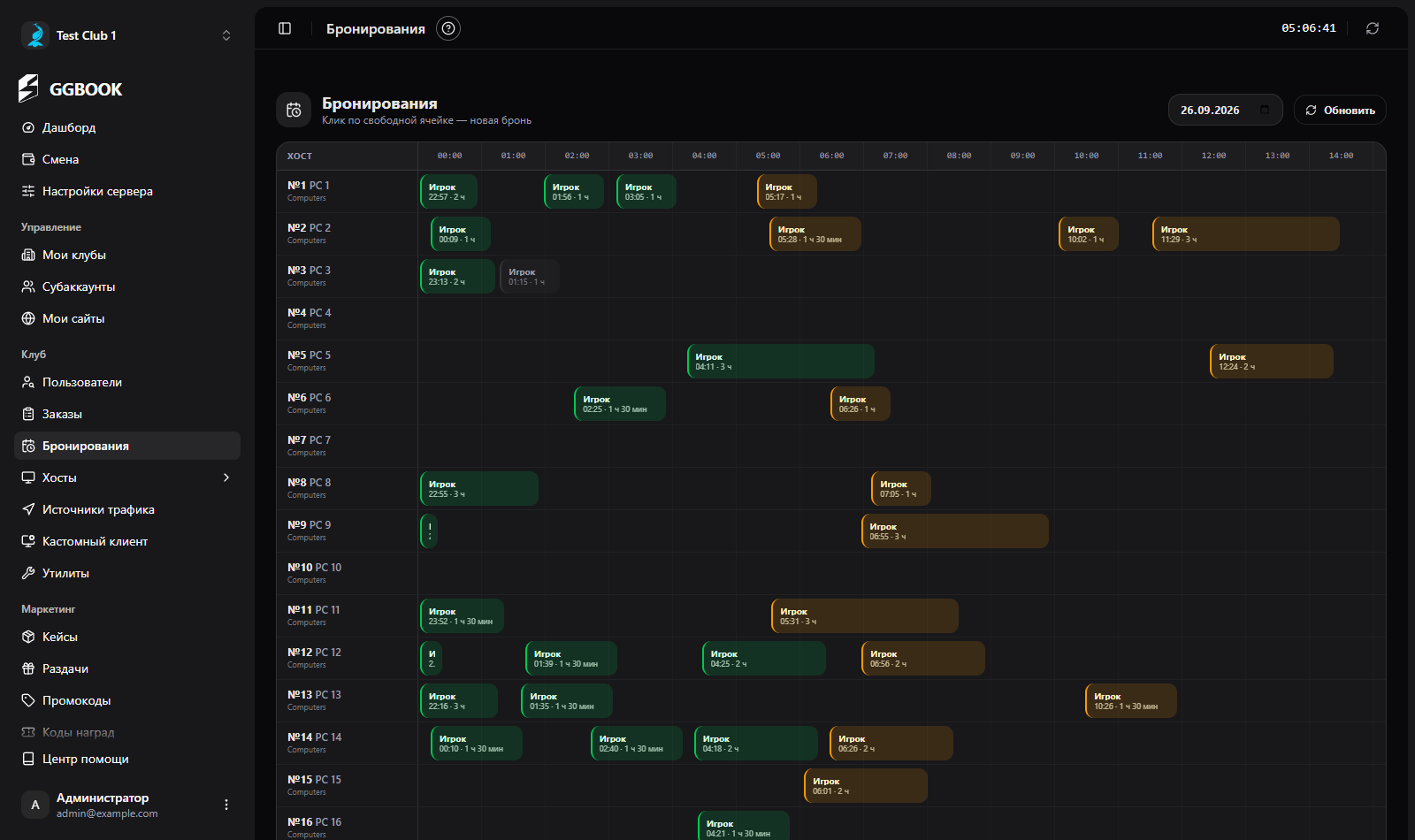
Choose a date at the top. Hours run horizontally and PCs vertically. Select an empty cell to create a reservation: enter the host, start time, duration and, if needed, a player, contact phone and note. If Gizmo returns a reservation PIN, the panel shows it after creation.
Select an existing block to view details. Available actions include cancelling and completing the reservation; each requires confirmation. Blocks show their status. The list refreshes every 30 seconds, and there is a manual Refresh button.
The dashboard has a separate chart for upcoming reservations from today through the next 30 days. It includes only pending and active reservations; cancelled, expired and completed ones are not part of the forecast.