The dashboard shows the selected club's revenue, host occupancy, player activity, invoice items and upcoming reservations.
Analytics period
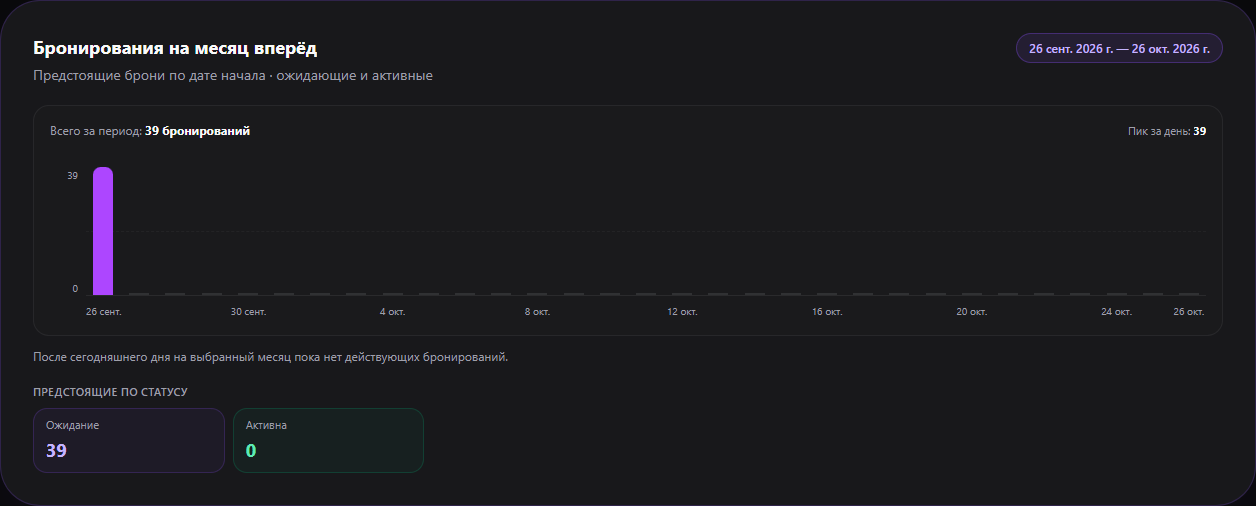
Choose today, week, month, year or a custom date range. Revenue, sales, promo and referral widgets use that period. The upcoming reservations chart uses its own range: today plus the next 30 days, including days with zero bookings; it counts pending and active reservations.
What the cards mean
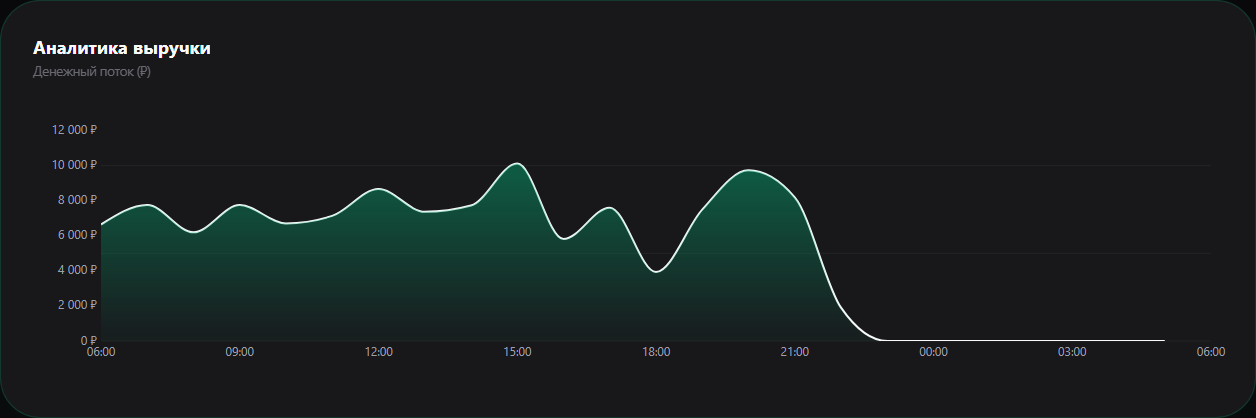
- Revenue and the cash-flow chart reflect Gizmo data for the selected period.
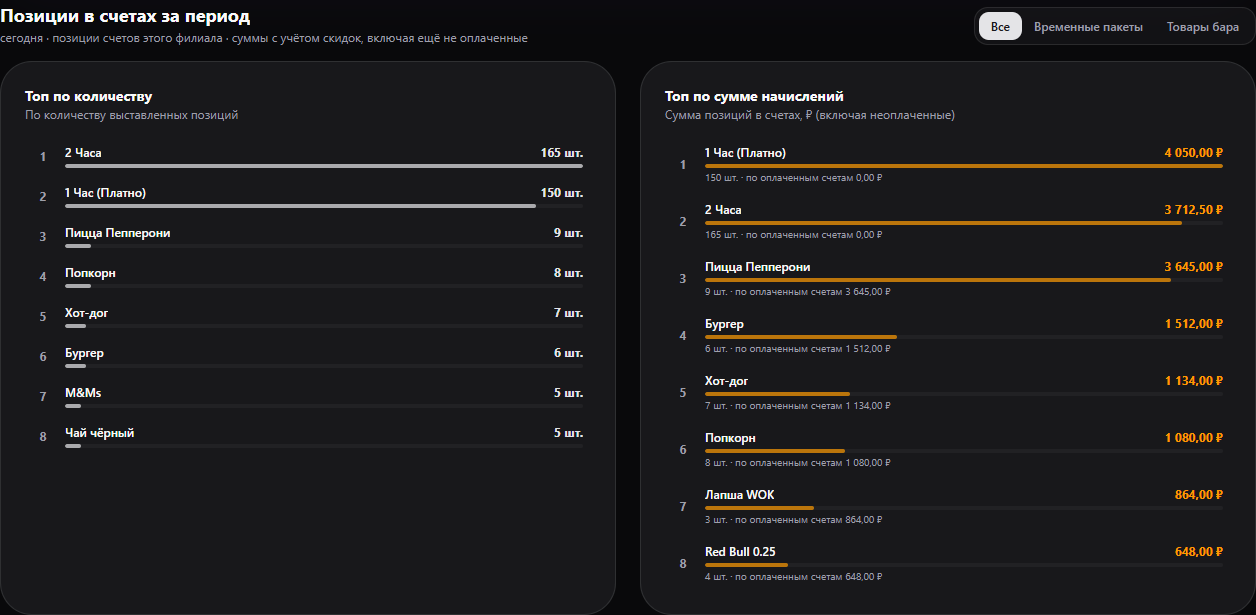
- Invoice items can be filtered to time packages or bar products. One ranking is by item count, the other by billed item amount. Billed does not mean paid; paid amount is shown separately.
- In the club now shows occupied and available hosts and players currently in a session.
If a widget says “No data”, check the period and location. Zero future days on the reservations chart mean no matching reservations have been made for those dates yet.